In today’s job market, submitting a great CV is no longer enough. Before your application reaches a recruiter or hiring manager, it often goes through an Applicant Tracking System (ATS). This software scans, organizes, and ranks applications before a human ever sees them.
Many qualified candidates are rejected simply because their CV could not be properly read by the system or because it did not contain the right keywords. The good news is that creating an ATS-friendly CV is not difficult. By following a few simple guidelines, you can improve your chances of getting your application in front of the right people.
What Is an Applicant Tracking System?
An Applicant Tracking System is software used by employers to manage job applications. The system scans your CV and extracts information such as:
- Name and contact information
- Work experience
- Education
- Skills
- Certifications
- Keywords related to the job
The ATS then compares your CV to the job description and often ranks candidates according to how closely they match the requirements.
The system is not making the hiring decision. Its purpose is simply to help recruiters identify suitable candidates more efficiently.
Why ATS-Friendly CVs Matter
Large companies can receive hundreds or even thousands of applications for a single position. Reviewing every application manually would take a significant amount of time.
ATS software helps employers by:
- Filtering applications
- Ranking candidates
- Searching for specific skills and qualifications
- Organizing applicant information
If your CV is not optimized for ATS software, it may never reach a recruiter, regardless of how qualified you are.
Choose the Right File Format
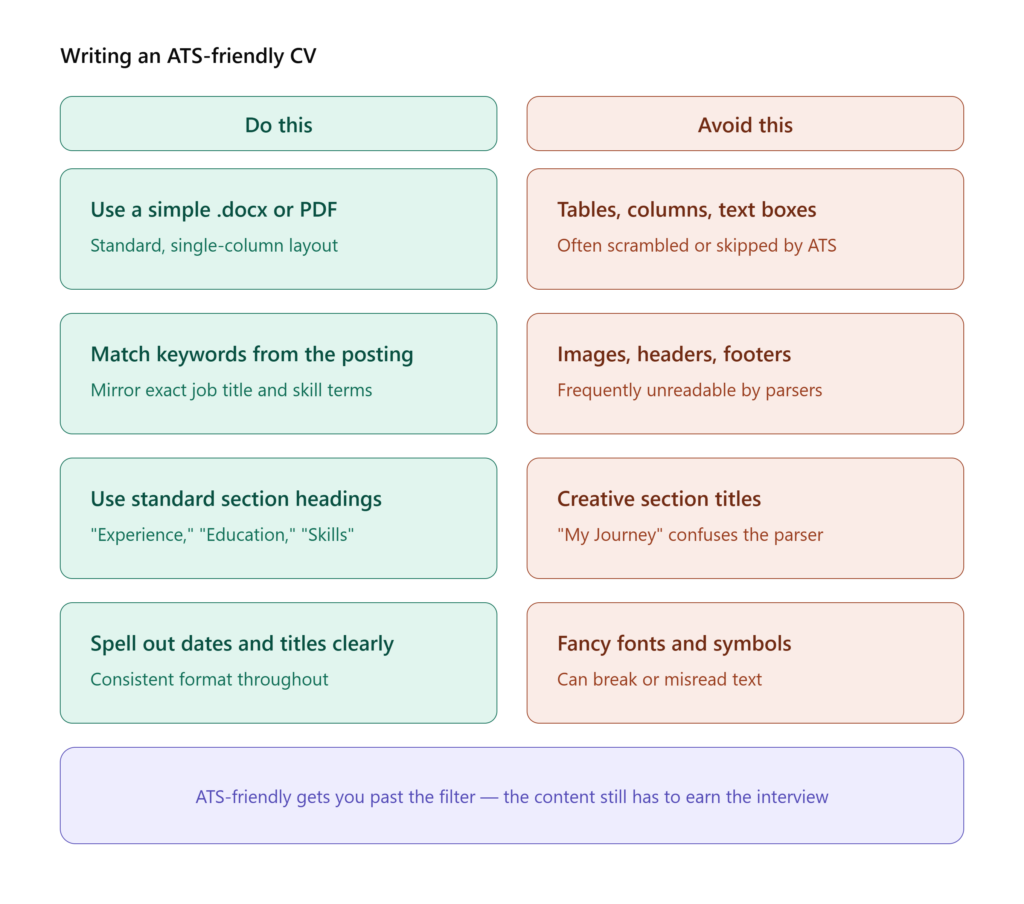
The safest file format for an ATS-friendly CV is usually a Microsoft Word (.docx) document.
Many modern systems can also read PDFs, but some older systems still struggle with them.
Unless the employer specifically requests a PDF, submitting your CV as a Word document is often the safest option.
Avoid submitting:
- Images
- Scanned documents
- Canva graphics
- JPEG or PNG files
- Documents saved as pictures
If the text cannot be highlighted and copied, there is a high chance the ATS cannot read it.
Keep Your Layout Simple
One of the biggest mistakes job seekers make is creating overly designed CVs.
While colorful templates and multi-column designs may look attractive, they often confuse ATS software.
A simple layout works best:
- Single-column format
- Clear headings
- Standard fonts
- Consistent spacing
Avoid:
- Tables
- Text boxes
- Sidebars
- Complex graphics
- Multiple columns
A clean and professional layout improves readability for both software and human recruiters.
Use Standard Section Headings
Applicant Tracking Systems are programmed to recognize common headings.
Use headings such as:
- Professional Summary
- Work Experience
- Education
- Skills
- Certifications
- Projects
- Volunteer Experience
Avoid creative headings like:
- My Journey
- What I Bring
- Career Story
- Things I Can Do
These headings may confuse the software and prevent your information from being properly categorized.
Include Keywords from the Job Description
Keywords are one of the most important parts of an ATS-friendly CV.
Employers often configure their systems to search for specific:
- Skills
- Software
- Certifications
- Job titles
- Qualifications
For example, if the job description mentions:
- SQL Server
- Customer Service
- Active Directory
- Project Management
Your CV should include these terms if you genuinely have these skills.
Example
Job description:
“Experience with Microsoft 365 administration and Active Directory management.”
Your CV should mention:
- Microsoft 365 Administration
- Active Directory User Management
Using different wording may reduce your match score.
Tailor Your CV for Every Job
One of the biggest mistakes candidates make is sending the same CV to every employer.
Every position has different requirements.
Take a few minutes to:
- Read the job description carefully.
- Identify important keywords.
- Adjust your summary and skills section.
- Highlight relevant experience.
Customizing your CV significantly increases your chances of passing ATS screening.
Use Keywords Naturally
Keyword stuffing does not work.
Avoid writing:
“Project management, project management, project management.”
Instead, include keywords naturally.
Example:
“Managed multiple IT projects and collaborated with cross-functional teams to deliver solutions on time.”
This sentence sounds natural while still containing important keywords.
Choose Professional Fonts
Some fonts are easier for ATS systems to read than others.
Recommended fonts:
- Calibri
- Arial
- Times New Roman
- Garamond
- Helvetica
Avoid:
- Script fonts
- Decorative fonts
- Fancy typography
Simple fonts improve readability and maintain professionalism.
Use Consistent Date Formats
Applicant Tracking Systems often calculate your experience based on dates.
Use a consistent format throughout your CV.
Examples:
- January 2024 – June 2025
- Jan 2024 – Jun 2025
Avoid mixing formats.
Consistency helps the system accurately interpret your employment history.
Avoid Headers and Footers
Many ATS platforms do not read information placed inside headers or footers.
Never put your:
- Name
- Phone number
- Email address
- LinkedIn profile
Inside a header or footer.
Place your contact information at the top of the main document instead.
Avoid Images and Icons
Icons may look modern, but they can create problems during parsing.
Avoid:
- Phone icons
- Email icons
- Social media icons
- Profile pictures
- Logos
Simple text is more effective.
Example:
Phone: +27 72 123 4567
Email: example@gmail.com
Quantify Your Achievements
Once your CV passes the ATS, a recruiter will read it.
Numbers make your accomplishments stronger.
Examples:
- Supported over 100 users.
- Reduced processing time by 30%.
- Managed projects worth R500,000.
- Increased social media engagement by 45%.
Measurable results help your CV stand out.
Include Relevant Skills
Create a dedicated skills section that matches the job requirements.
Example for an IT Support role:
Technical Skills
- Windows 10 and Windows 11
- Microsoft 365
- Active Directory
- Networking Fundamentals
- Hardware Troubleshooting
- Printer Support
- Remote Desktop Support
A clear skills section helps ATS software identify your qualifications quickly.
Proofread Your CV
Spelling mistakes can hurt your chances.
For example:
- Microsft Office
- Active Direcotry
- SQL Sever
The ATS may not recognize misspelled keywords.
Always:
- Check spelling
- Review grammar
- Ask someone else to proofread your CV
Remember That ATS Is Only the First Step
An ATS-friendly CV helps you pass the initial screening, but it does not guarantee an interview.
Your CV still needs to:
- Demonstrate achievements
- Show relevant skills
- Present clear experience
- Be honest and professional
Think of ATS optimization as opening the door. Your experience and accomplishments are what convince the employer to invite you for an interview.
Final Thoughts
Creating an ATS-friendly CV is not about tricking software or filling your document with keywords. It is about making your information easy to read and easy to understand.
To improve your chances:
- Use a simple layout.
- Choose the correct file format.
- Include relevant keywords.
- Use standard headings.
- Avoid complicated designs.
- Tailor your CV for every application.
A well-written ATS-friendly CV ensures that your qualifications are seen by both the software and the recruiter, giving you a better opportunity to secure interviews and move forward in your career.