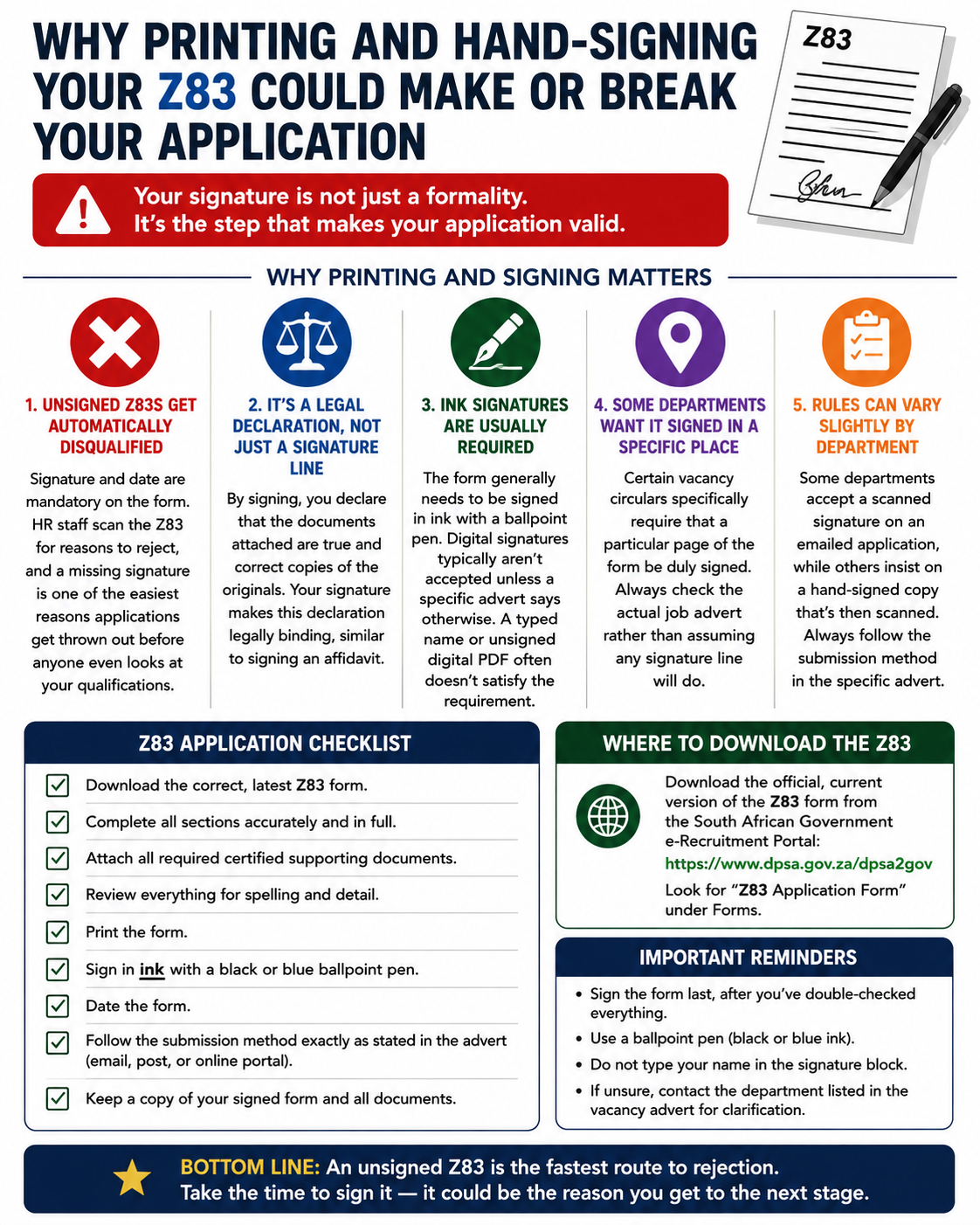
If you’re applying for a South African government job, completing the Z83 application form correctly is just as important as having the right qualifications. Thousands of applications are rejected every year because of simple mistakes that could have been avoided. One of the most common—and costly—mistakes is failing to print and hand-sign the Z83 form before submitting it.
Many applicants assume that a typed name or digital signature is enough, especially when submitting applications online. Unfortunately, this assumption can lead to automatic disqualification. Before your CV, qualifications, or experience are even considered, Human Resources (HR) officials first check whether your Z83 complies with the application requirements.
A missing signature can mean your application never makes it past the first screening stage.
This guide explains why printing and signing your Z83 form is essential, the mistakes applicants often make, and how you can ensure your application isn’t rejected over something so simple.
What Is the Z83 Form?
The Z83 is the official application form used when applying for positions in the South African Public Service. Every government department requires applicants to submit this form together with their supporting documents, unless the job advert states otherwise.
The form allows government departments to collect standardised information from all applicants, including:
- Personal details
- Educational qualifications
- Employment history
- Professional registrations
- Criminal record declarations
- Citizenship information
The current version of the Z83 was introduced in 2021 and contains additional declarations that applicants must legally agree to before their applications can be considered.
Because of these declarations, your signature has become more important than ever.
Why Your Signature Matters
Many people view signing the Z83 as nothing more than a routine administrative step. In reality, your signature confirms several important legal declarations.
By signing the form, you are confirming that:
- All information you provided is true and accurate.
- Your attached qualifications and documents are genuine.
- You understand that providing false information could lead to disqualification or dismissal if employed.
- You accept the conditions contained within the application.
Without your signature, none of these declarations become legally valid.
This is why departments treat unsigned applications as incomplete.
An Unsigned Z83 Can Be Automatically Disqualified
One of the biggest misconceptions among applicants is that HR officials will contact them if they forget to sign the form.
In most cases, this does not happen.
Government recruitment processes follow strict compliance rules. HR officials often receive hundreds—or even thousands—of applications for a single vacancy. Before assessing qualifications or experience, they first verify whether each application meets the minimum administrative requirements.
These checks include:
- Correct Z83 version
- All mandatory sections completed
- Signature included
- Date completed
- Correct reference number
- Required supporting documents attached
If any mandatory requirement is missing, the application may be rejected immediately.
This means an applicant with excellent qualifications could lose an opportunity simply because they forgot to sign the last page.
Why Printing the Form Is Important
Many applicants complete the Z83 electronically and submit it without ever printing it.
Although electronic forms make completion easier, most government departments still expect applicants to provide a handwritten signature using blue or black ink unless the job advertisement specifically states that digital signatures are accepted.
Printing the form allows you to:
- Review every section carefully.
- Identify missing information.
- Make corrections before submission.
- Add a proper handwritten signature.
- Date the form correctly.
After signing the printed form, you can scan it and submit it electronically if the advertisement requires online or email applications.
This method satisfies both electronic submission requirements and signature requirements.
Are Digital Signatures Accepted?
This depends entirely on the department advertising the vacancy.
Some departments have started accepting digitally signed applications, while others continue to require handwritten signatures.
Because requirements differ between departments, applicants should never assume that a digital signature will be accepted.
The safest approach is:
- Complete the Z83 electronically.
- Print the completed form.
- Sign it by hand using ink.
- Scan the signed copy.
- Submit it according to the instructions in the vacancy advertisement.
Following this process significantly reduces the risk of your application being rejected for non-compliance.
Check the Job Advertisement Carefully
Not every government department has identical submission requirements.
Some advertisements specifically state:
- Which pages must be signed.
- Whether certified documents are required.
- Whether applications must be emailed or hand-delivered.
- Whether scanned signatures are acceptable.
- Which supporting documents must accompany the application.
Never rely on information from previous applications.
Always read the current vacancy advertisement from beginning to end before submitting your application.
Even small differences in submission instructions can affect whether your application is accepted.
Common Z83 Mistakes That Lead to Rejection
Besides forgetting to sign the form, applicants often make several other avoidable mistakes.
These include:
- Using an outdated version of the Z83 form.
- Leaving mandatory sections blank.
- Forgetting to write the vacancy reference number.
- Failing to date the application.
- Omitting required supporting documents.
- Attaching an outdated CV.
- Providing incorrect contact details.
- Submitting after the closing date.
- Using poor-quality scanned copies.
- Ignoring department-specific instructions.
Many of these errors occur because applicants rush to submit their applications without performing a final review.
Taking just five extra minutes to double-check everything can prevent weeks—or even months—of disappointment.
Create a Final Checklist Before Submitting
Before sending your application, review each item carefully.
Your checklist should include:
- Correct Z83 version downloaded.
- All personal information completed.
- Vacancy reference number entered correctly.
- Every mandatory section completed.
- Form dated correctly.
- Handwritten signature added.
- Updated CV attached.
- Required qualifications attached.
- Identity document attached if required.
- Supporting documents included.
- Documents scanned clearly.
- Correct email address or submission portal used.
- Application submitted before the deadline.
Following the same checklist every time you apply helps eliminate simple mistakes.
Why Small Details Matter
Government recruitment is highly competitive.
Some vacancies receive thousands of applications from qualified candidates.
When HR officials conduct initial screening, they aren’t comparing experience or qualifications first—they’re checking compliance.
An unsigned application immediately fails that compliance check.
In other words, your application may never reach the hiring manager, regardless of how impressive your CV may be.
This is why attention to detail is one of the most important skills job seekers can develop.
The Cost of a Simple Mistake
Imagine spending hours:
- Updating your CV.
- Writing a motivation letter.
- Gathering certified documents.
- Scanning certificates.
- Uploading files.
- Completing every section of the Z83.
Then losing the opportunity because you forgot one signature.
Unfortunately, this happens far more often than many applicants realise.
Government departments cannot simply overlook missing signatures because recruitment policies require fair and consistent treatment of every applicant.
If one unsigned application were accepted while another was rejected, the recruitment process could become legally challenged.
That is why compliance rules are applied consistently to everyone.
Final Thoughts
Printing and hand-signing your Z83 form may seem like a minor administrative task, but it is one of the most important steps in your government job application. Your signature confirms the accuracy of your information, validates the legal declarations contained in the form, and ensures your application complies with public service recruitment requirements.
Before submitting any application, take a few extra minutes to carefully review every section of your Z83. Confirm that you’ve used the latest version, completed all mandatory fields, signed and dated the form, and attached all required documents. These simple checks can prevent your application from being rejected before anyone has the opportunity to review your qualifications or experience.
When applying for government jobs, success often comes down to getting the small details right. A properly completed and hand-signed Z83 gives your application the best possible chance of progressing to the next stage and moving you one step closer to securing an interview.